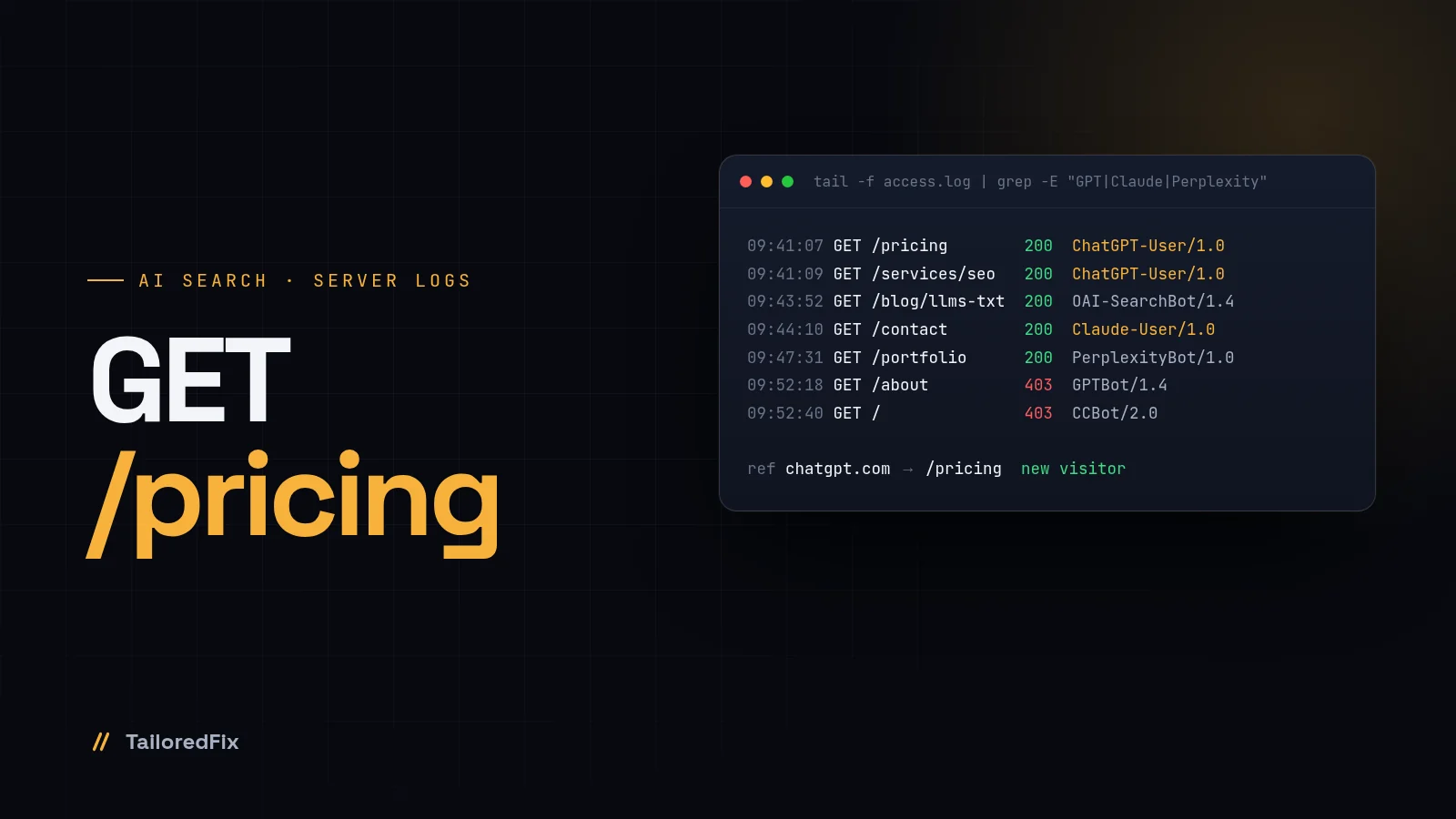
Open your server's access log and search for "ChatGPT". On almost every site I check, it's there. So are Claude, Perplexity and a handful of crawlers you've never heard of. Most site owners have no idea, because none of it shows up in Google Analytics.
Here's who those bots are, what each one wants, how to find them in five minutes, and how to decide who gets in.
Three kinds of AI visits
Not every AI visit is the same, and lumping them all together as "AI scraping" leads to bad decisions. There are three jobs:
- Training. A crawler collects pages that may be used to train future models. You get nothing back directly. This is the one most people mean when they say they want to block AI.
- Search index. A crawler builds the index an AI search product uses to find and cite sources. Block it and you don't show up in that product's answers.
- Live answers. A user asks a question, and the assistant fetches your page right now to answer it. This is the closest thing to a real visitor, and it's the one that sends clicks.
The big vendors now use a separate user agent for each job, which means you can treat them differently.
Who's knocking
I checked every name below against the vendors' own documentation in November 2026. User agents change, so check again before you copy rules from any blog, including this one.
| User agent | Company | Job | Follows robots.txt |
|---|---|---|---|
GPTBot | OpenAI | Training | Yes |
OAI-SearchBot | OpenAI | Index for ChatGPT search | Yes |
ChatGPT-User | OpenAI | Live fetch when a user asks | Not necessarily, it's user-initiated |
ClaudeBot | Anthropic | Training | Yes |
Claude-SearchBot | Anthropic | Search quality and index | Yes |
Claude-User | Anthropic | Live fetch when a user asks | Yes |
PerplexityBot | Perplexity | Search index, not used for training | Yes |
Perplexity-User | Perplexity | Live fetch when a user asks | Generally no |
CCBot | Common Crawl | Open web archive, widely used for training | Yes |
Bytespider | ByteDance | Crawler linked to training | Reported as inconsistent |
Two names you'll see in robots.txt guides aren't crawlers at all. Google-Extended is a robots.txt token: Google crawls with its normal bots, and the token decides whether that content can be used to train Gemini and for grounding. Blocking it doesn't affect Google Search. Applebot-Extended works the same way for Apple: Applebot does the crawling, the Extended token controls use for training Apple's foundation models, and it doesn't affect search either.
Find them in your server logs
Analytics tools like GA4 run in the browser. Bots don't run your JavaScript, so they never show up there. The truth is in the server's access log. On nginx it's usually /var/log/nginx/access.log, on Apache /var/log/apache2/access.log. On shared hosting, look for "Raw Access Logs" in cPanel.
Count AI hits per bot:
grep -oE "GPTBot|OAI-SearchBot|ChatGPT-User|ClaudeBot|Claude-User|Claude-SearchBot|PerplexityBot|Perplexity-User|CCBot|Bytespider" \
  /var/log/nginx/access.log | sort | uniq -c | sort -rn
See which pages ChatGPT fetched to answer real questions. In the default combined log format, the path is the seventh field:
grep "ChatGPT-User" /var/log/nginx/access.log | awk '{print $7}' | sort | uniq -c | sort -rn | head -20
Logs rotate, so include the older ones with zgrep ... /var/log/nginx/access.log*. That second command is the most interesting report most of my clients have never seen: a list of the pages an AI read while someone was deciding whether to buy.
One warning. Anyone can put "GPTBot" in a user agent. If a bot is hammering your server, verify it against the IP ranges the vendor publishes. OpenAI, for example, publishes JSON lists for GPTBot, OAI-SearchBot and ChatGPT-User.
If you're on Cloudflare
Cloudflare's AI Crawl Control, formerly AI Audit, shows which AI services hit your site, grouped by company, with allow and block controls per crawler. It works on all plans. Referral numbers, the part that tells you whether a crawler ever sends anyone back, need a paid plan. It's the fastest overview you can get without touching a terminal.
Allow AI search, block training
This is my default setup for clients who want to be found in AI answers but don't want their content in training sets:
# AI search and live answers: welcome
User-agent: OAI-SearchBot
User-agent: ChatGPT-User
User-agent: Claude-SearchBot
User-agent: Claude-User
User-agent: PerplexityBot
Allow: /
# Training: no thanks
User-agent: GPTBot
User-agent: ClaudeBot
User-agent: CCBot
User-agent: Bytespider
User-agent: Google-Extended
User-agent: Applebot-Extended
Disallow: /
Four things to know before you paste it:
- robots.txt is a request, not a wall. Reputable vendors follow it. For anything that doesn't, block at the server or the CDN.
- Live fetchers play by different rules. OpenAI says robots.txt rules may not apply to ChatGPT-User, and Perplexity says Perplexity-User generally ignores them, because a human asked for the page.
- Don't block the search bots by accident. Disallow OAI-SearchBot and you won't appear in ChatGPT search answers. A blanket
User-agent: *disallow does exactly that. - Blocking training is a business decision. For a publisher with paid content, block it. For a local dentist who wants every model to know they exist, I usually leave training open. OpenAI notes that if you allow both GPTBot and OAI-SearchBot, it may use one crawl for both.
Why chatgpt.com shows up in your analytics
The live answers are where the money is. When ChatGPT cites your page and the user clicks through, the visit arrives with chatgpt.com as the referrer, usually tagged with utm_source=chatgpt.com. Perplexity and Claude referrals show up the same way, under their own domains.
In GA4, open Reports, then Acquisition, then Traffic acquisition, and filter the session source for "chatgpt", "perplexity" and "claude". The numbers are often small. The quality usually isn't. Someone who clicks a source in an AI answer has already read a summary of you and still wants more.
What GA4 can't show you is the step before: the fetch. The log line where ChatGPT-User read your pricing page is the moment you were considered. The visit is the moment you won.
How we show it in Xagio
That gap is why we built Traffic & Analytics in Xagio. It reads every hit on the server and splits it into visitors, AI assistants, search engines, and bots and errors. AI visits are separated into live answers, search index and training, per agent. A citation view connects the dots: the assistant fetches a page, the server logs it, and a visitor arrives from the chat. Next to it sits a Search Console view, so Google traffic and AI traffic live on one screen. Across Xagio-hosted sites, it recorded 66,970 LLM citations in a single 30-day window in November 2026.
You don't need Xagio to start. The two grep commands above will tell you most of the story tonight.
A 15-minute AI visibility check
- Count AI user agents in your access log for the last 30 days
- List the top 20 pages fetched by ChatGPT-User, Claude-User and Perplexity-User
- Make sure those pages load fast and say the important things in plain HTML, not only in JavaScript
- Open robots.txt and check you're not blocking OAI-SearchBot, Claude-SearchBot or PerplexityBot by accident
- Decide on the training bots on purpose, and write the rules
- Filter GA4 traffic acquisition for chatgpt, perplexity and claude
- If you're on Cloudflare, open AI Crawl Control and compare
- Repeat monthly. These lists change fast.
If you'd rather have someone do it, AI crawler access is part of every technical SEO audit I run and of ongoing SEO work. Or send me your domain and I'll tell you which AI bots read your site last month.

15+ years building WordPress sites, plugins and web apps, including 7+ years as a full-stack developer on the Xagio team (the SEO & AEO platform behind a WordPress plugin with 10,000+ active installs). Now AI-accelerated: fixes in hours, sites in days. More about me →