The workroom

Every client gets a private workroom. No more email threads.

Send tasks whenever you like, see exactly where each one is, approve the work, and share logins safely. One place for you and the developer doing the work.

No sign-up. A fictional client, read-only.

  • Every packageCare, Standard, Priority, Dedicated
  • Every projectone-off builds and fixes too
  • Your whole teaminvite colleagues, no extra cost
  • Any devicebrowser and phone, nothing to install
How a task moves

Five steps. You always know which one.

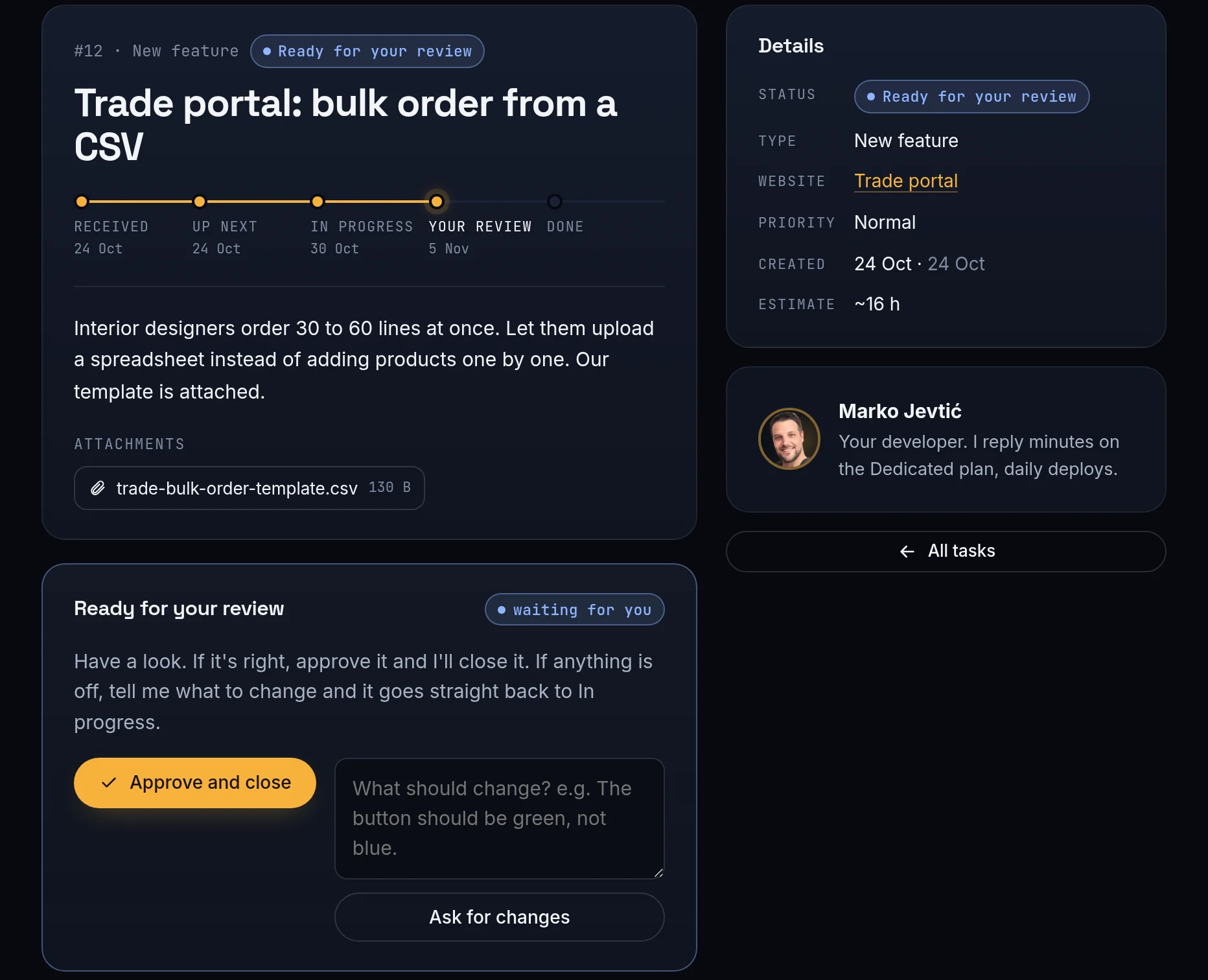
Every task shows a live progress line. You get a notification at each step, so you never have to ask "any update?" again.

  1. 01 Received

    You describe it in your own words and attach screenshots. Takes about 30 seconds.

  2. 02 Up next

    It lines up in your queue. Drag to reorder, I always take the top one.

  3. 03 In progress

    I start, ask what I need, and post updates in the task.

  4. 04 Your review

    You check it on staging. Approve, or say what to change.

  5. 05 Done

    It goes live and stays in your history, with every file and message.

Send a task

Thirty seconds, in plain words.

Pick what kind of task it is, write it the way you'd say it, paste a screenshot. Each type comes with a hint, so nothing important gets left out.

  • Fix, new page, content, speed, feature, SEO
  • Paste screenshots straight into the form
  • Mark it urgent on Priority and Dedicated
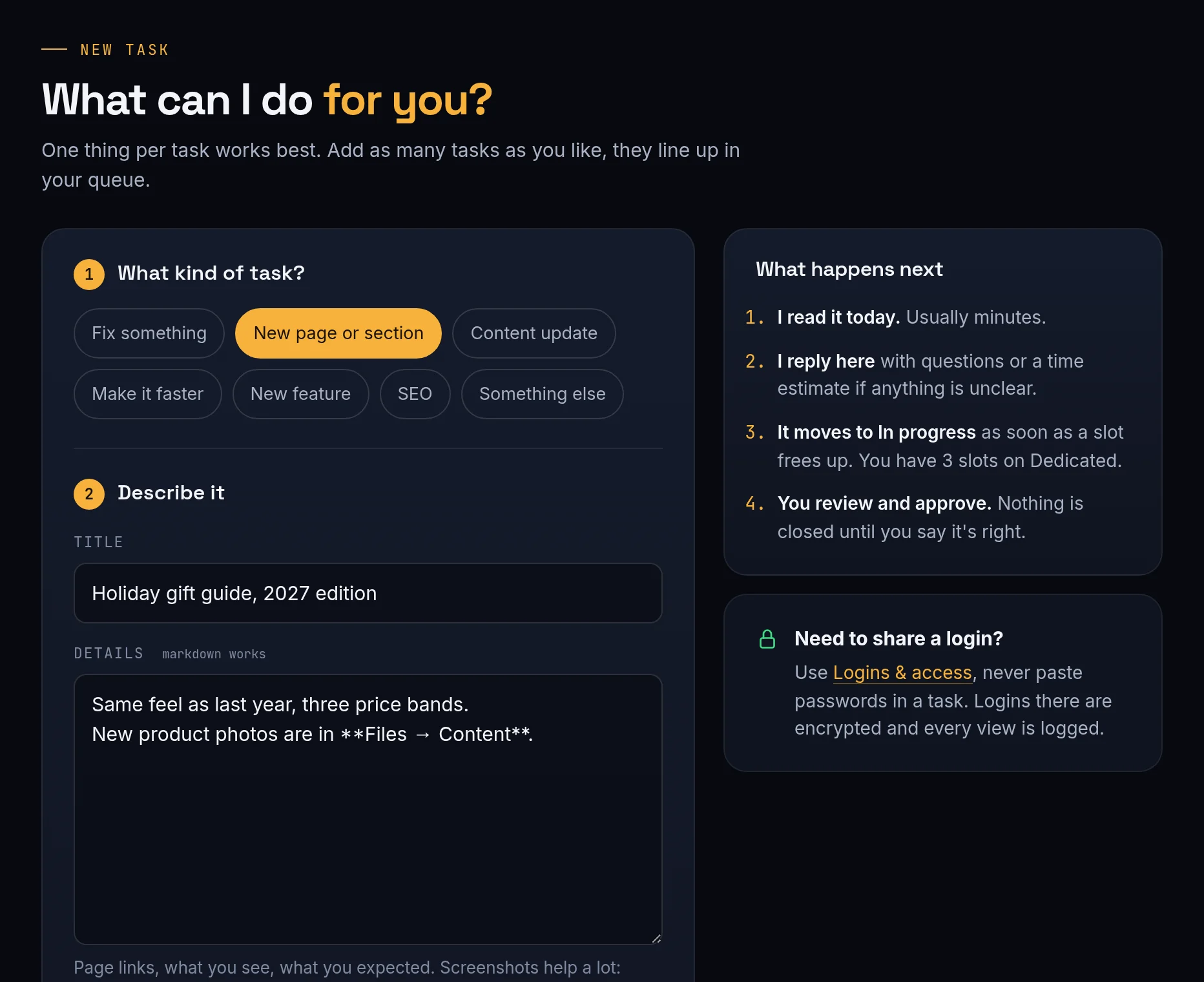
Send a task: Thirty seconds, in plain words.
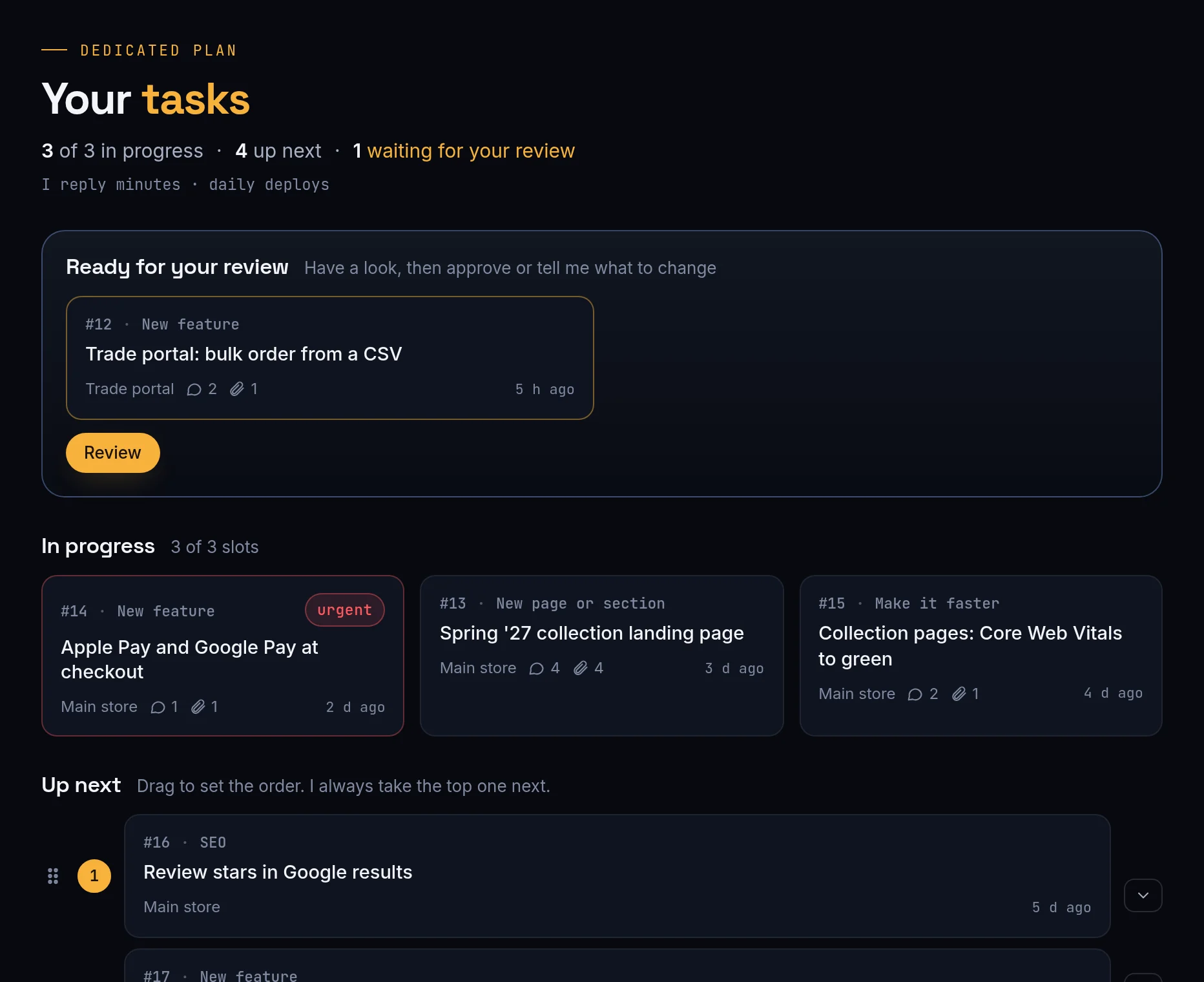
Your queue

Send twenty tasks. Nothing gets lost.

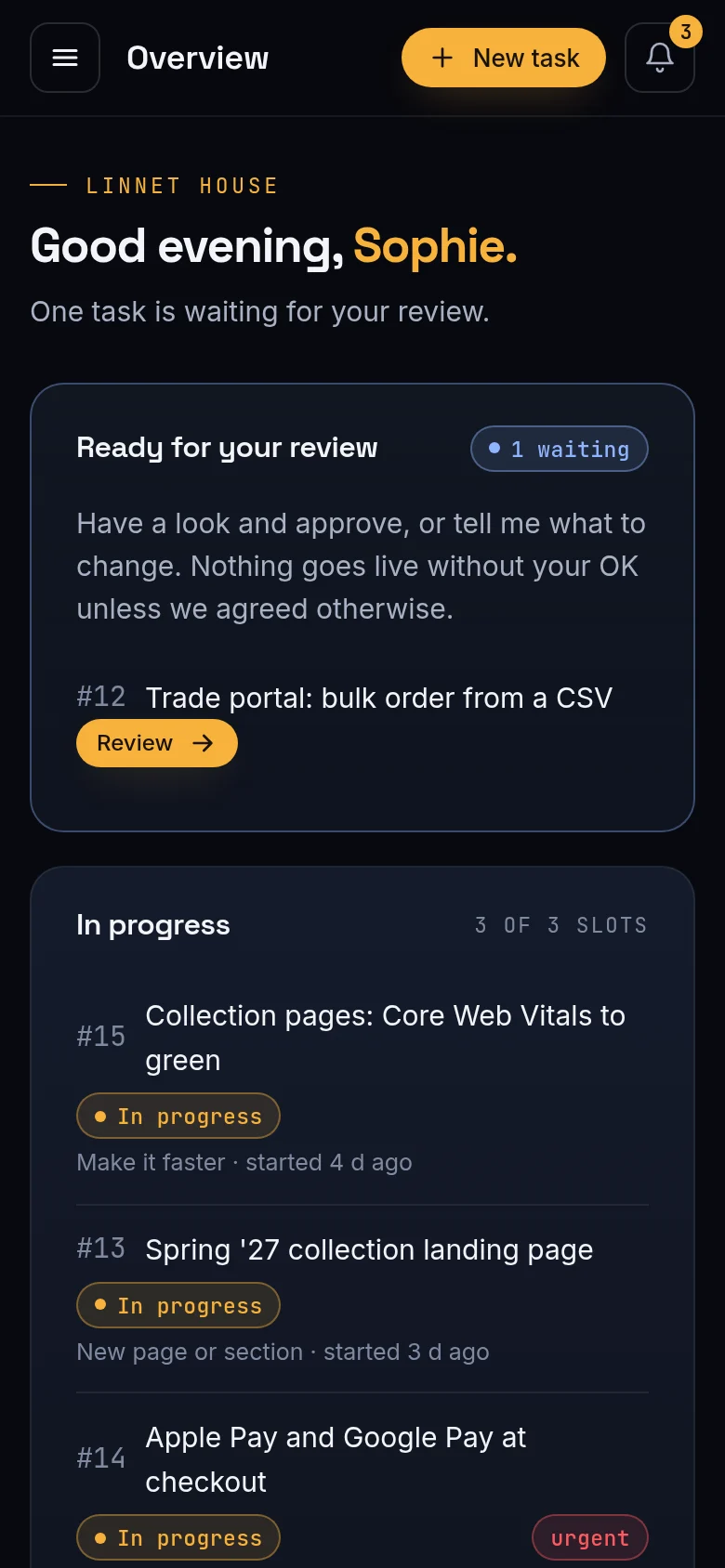
Your plan decides how many tasks I work on at once; everything else waits in your queue in the order you choose. You see it all: what's in progress, what's next, what's waiting for you.

  • Drag tasks to change the order
  • Slots per plan: 1, 2 or 3 in progress
  • Notifications at every step
Your queue: Send twenty tasks. Nothing gets lost.
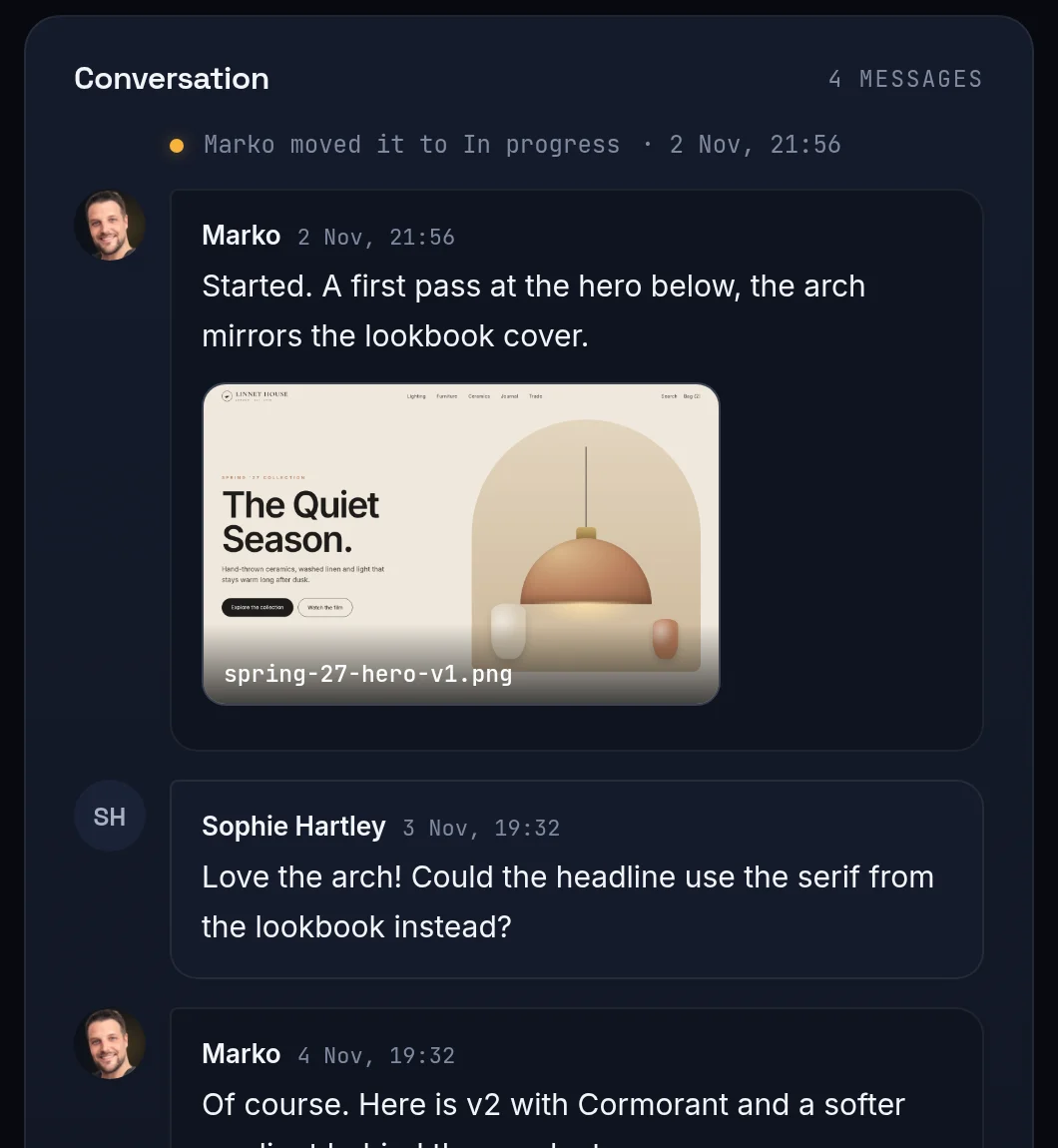
One thread per task

Talk to the developer, not a ticket desk.

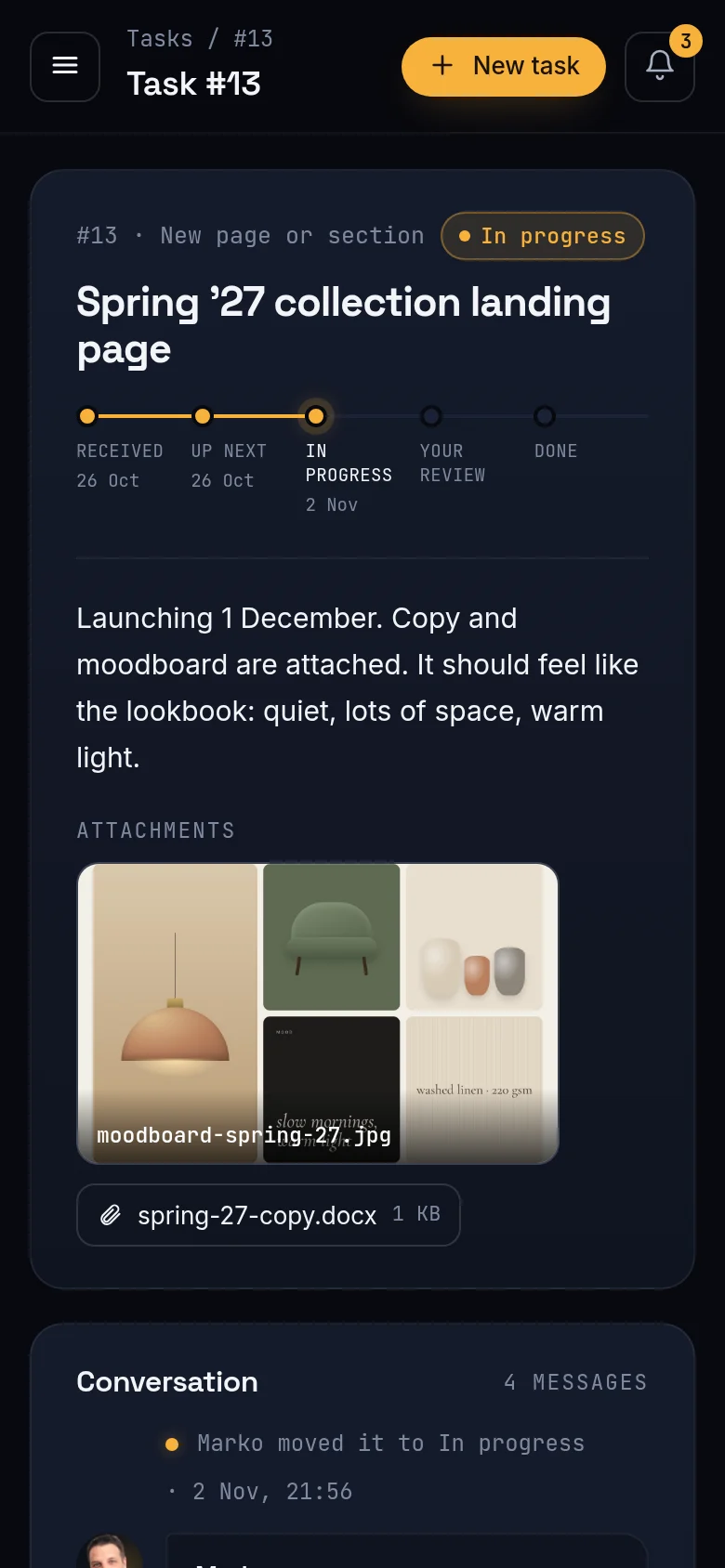
Every task has its own conversation with drafts, screenshots and files right inside it. No forwarding, no "which version is final?", no digging through your inbox.

  • Image previews right in the conversation
  • Markdown for lists, links and code
  • The full history stays with the task
One thread per task: Talk to the developer, not a ticket desk.
Review and approve

Nothing ships without your OK.

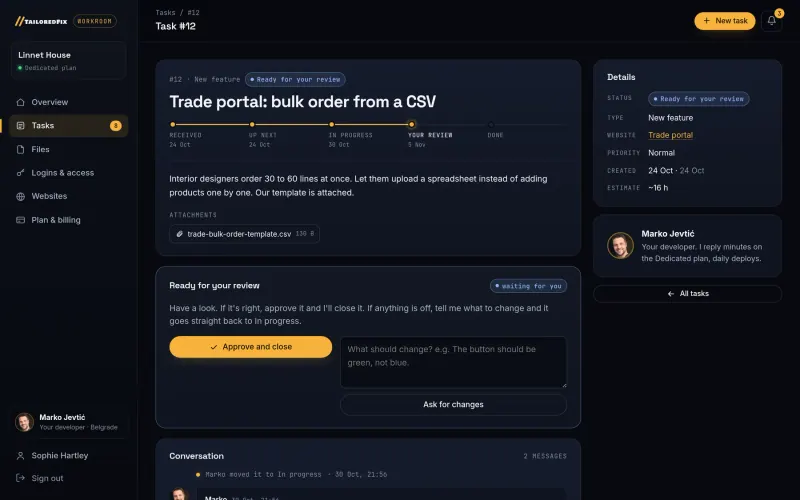
When a task is ready, it waits for you. Approve it with one click, or write a sentence about what to change and it goes straight back to In progress.

  • Check it on staging first
  • One click to approve
  • Changes go straight back into work
Review and approve: Nothing ships without your OK.
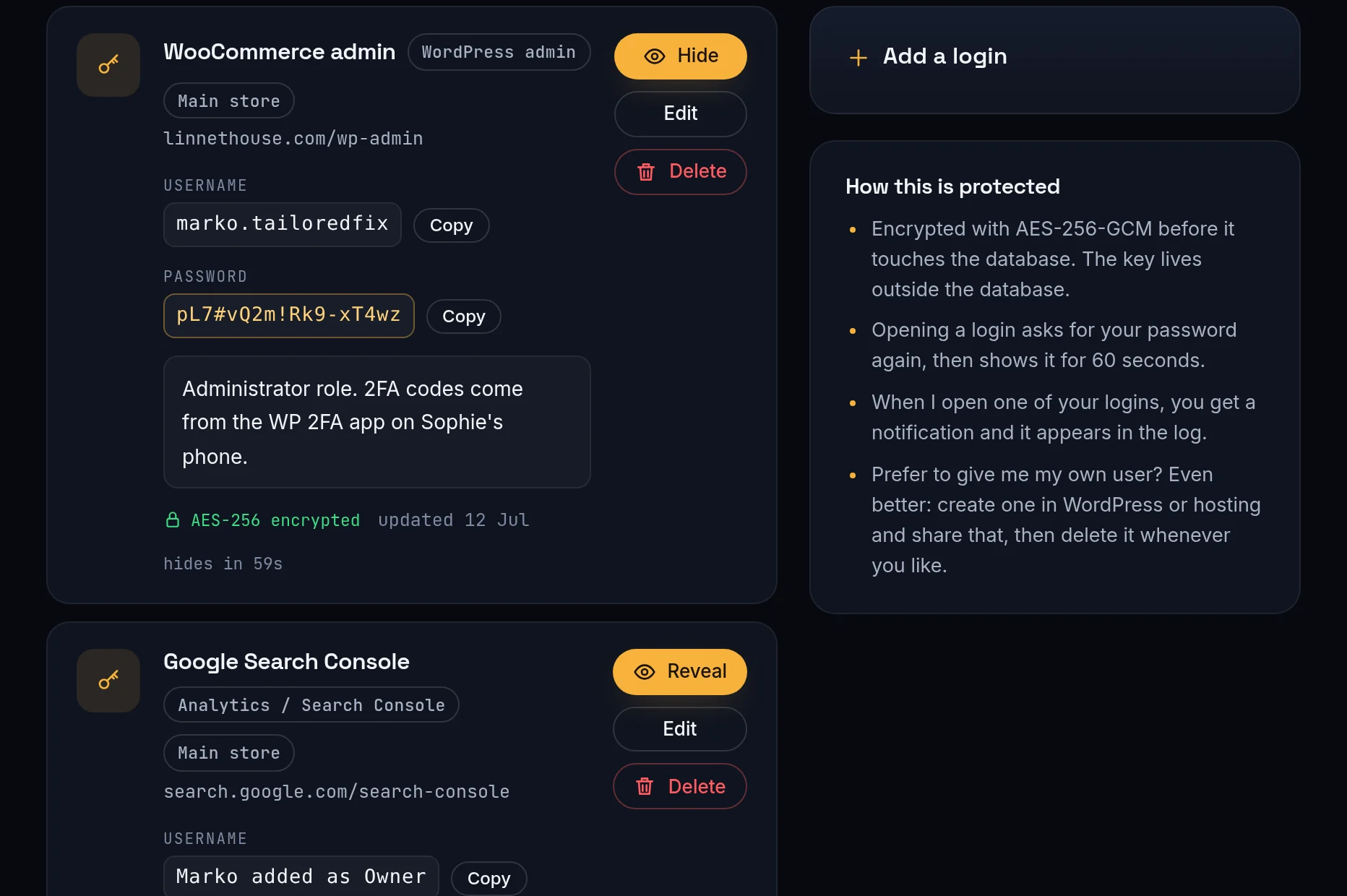
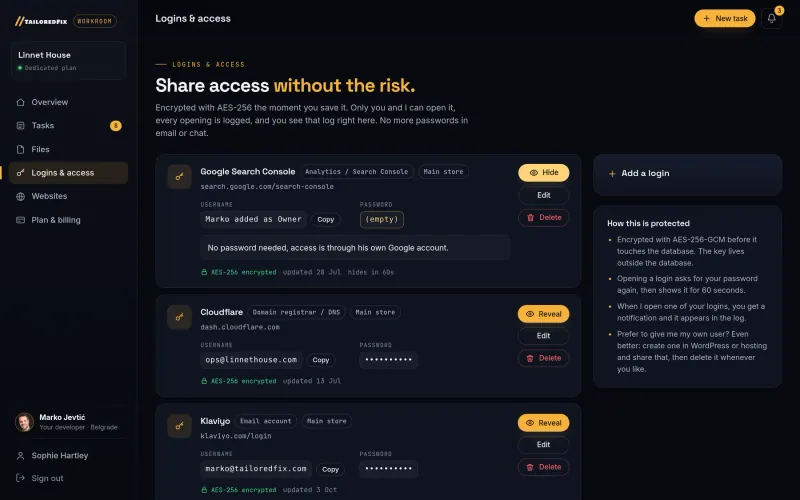
Logins and access

Passwords, never by email again.

Share WordPress, hosting, DNS or email logins in the workroom. They're encrypted the moment you save them, and opening one needs your password again. You see every time I open one.

  • AES-256 encryption, key kept outside the database
  • Shown for 60 seconds, then hidden again
  • Every view logged, and you get notified
Logins and access: Passwords, never by email again.
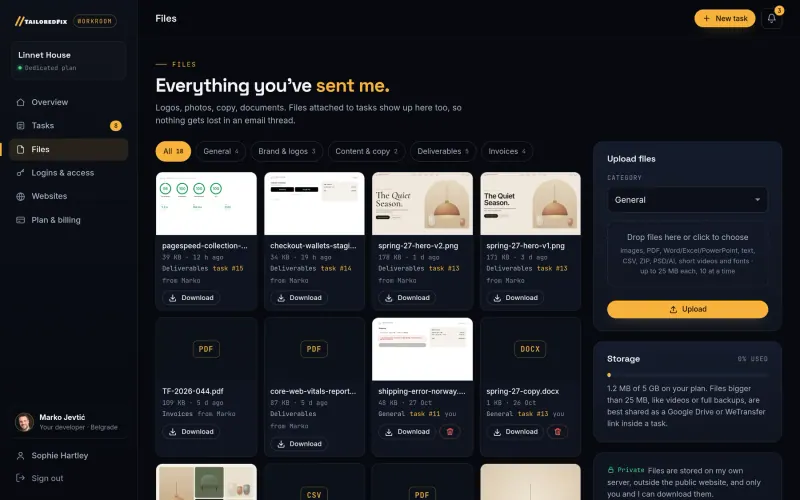
Files, sites, invoices

Everything in one place.

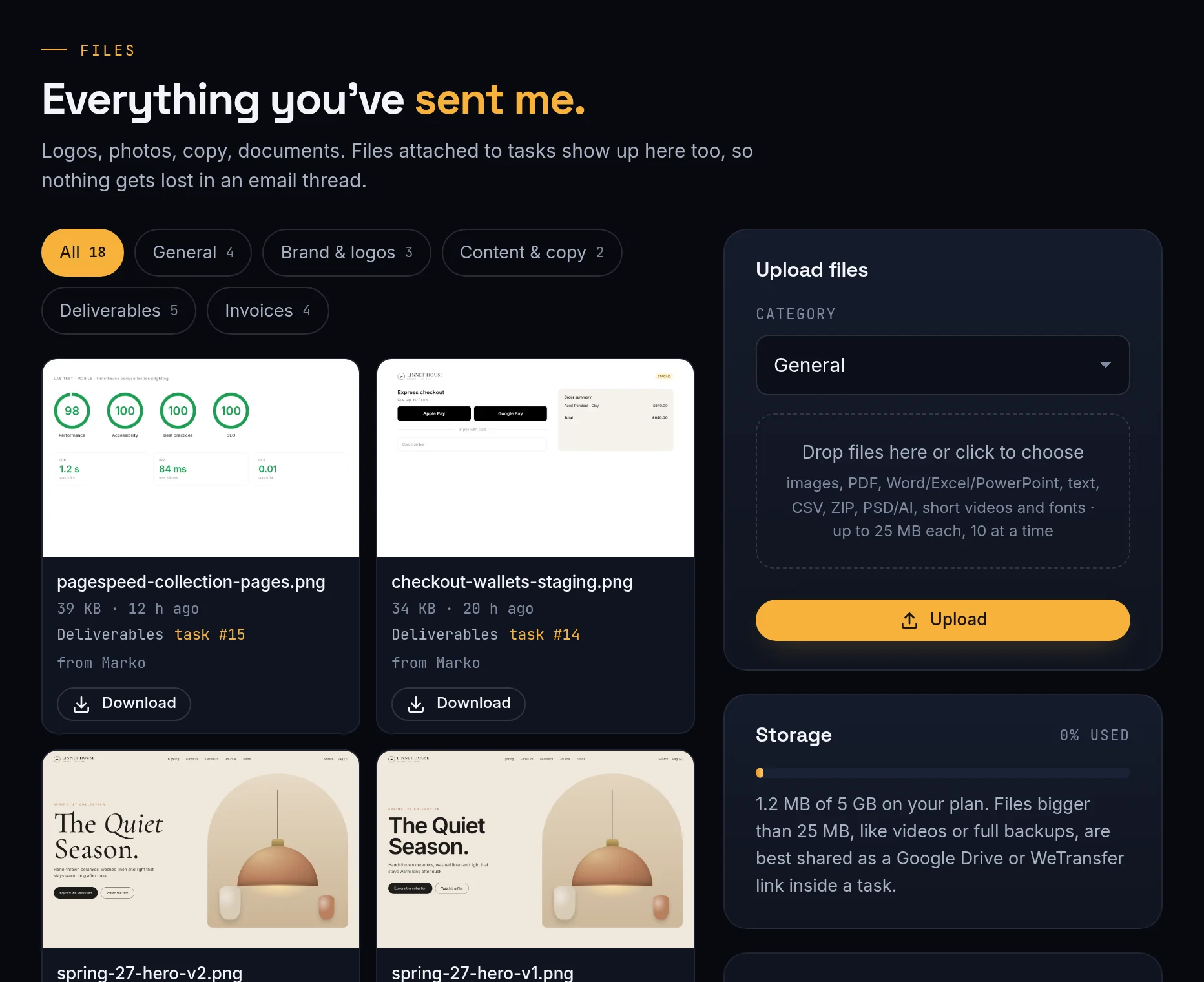
Logos, photos, copy, contracts, your websites and every invoice live in one library. Files attached to tasks appear there too, so nothing disappears in an email thread.

  • Images, PDF, Office, ZIP, design files
  • Up to 25 MB per file, storage by plan
  • Invoices and your plan on one page
Files, sites, invoices: Everything in one place.
On the go

Your phone is enough.

Approve a task from the train, send a screenshot of a bug the moment you see it, check what's in progress between meetings. Nothing to install.

After we agree

From handshake to first task, the same day.

  1. 1 Your workroom opens

    I set it up with your plan and send you a link. Choose a password and you're in.

  2. 2 A 15-minute kickoff

    Optional, but it helps: we go through your sites, priorities and who's on your team.

  3. 3 You hand over the keys

    Add your websites, share logins safely and drop in your brand files.

  4. 4 Tasks start flowing

    Send as many as you like. I pick up the top of your queue and keep you posted in each task.

  5. 5 You review, it ships

    Approve on staging, it goes live. Your history grows with every task.

  6. 6 Every month

    Your invoice lands in the workroom, with what was done and what's next.

Security

Built like it holds your keys. Because it does.

Your logins open your business, so the workroom treats them the way I'd want my own keys treated.

Encrypted logins

AES-256-GCM before anything reaches the database. The key lives outside it.

Password re-entry

Opening a saved login asks for your password again, then hides it after 60 seconds.

Access log

Every view is logged with time and person, and you see the log yourself.

Checked uploads

Each file is checked by type and by its real contents. Fakes are refused.

Private storage

Files sit on my own server outside the public website, downloadable only by you and me.

Daily backups

Database and files are backed up every day and kept for two weeks.

By package

Same workroom, different speed.

Your queue is unlimited on every plan. The plan only decides how many tasks move at the same time.

PackageIn progress at onceUrgent tasksStorage
Care1Regular queue512 MB
Standard1Regular queue1 GB
Priority2Jump the queue2 GB
Dedicated3Jump the queue5 GB
Questions

About the workroom

Does it cost extra?

No. Every package and every one-off project includes the workroom, for as long as we work together.

Do I need to install anything?

No. It runs in your browser and on your phone. You get a link, choose a password, and you're in.

Can my colleagues join?

Yes. I can invite as many people from your team as you need. Everyone sees the same tasks and files.

Is it really safe to share passwords there?

It's far safer than email or chat. Logins are encrypted with AES-256, opening one needs your password again, and every view is logged and shown to you. Even better: give me my own user in WordPress or hosting, share that, and delete it whenever you like.

What about big files and videos?

Up to 25 MB per file, 10 at a time, with storage by plan (512 MB to 5 GB). For bigger files, paste a Google Drive or WeTransfer link into the task.

What happens if we stop working together?

You can download every file at any time, and I hand back all the access you shared. Nothing is held hostage.

Want a workroom of your own?

Tell me what you need. You'll get a flat price today, and your workroom the day we agree.