
Portico Speed Dial
A new-tab speed dial with big cards that sync across your computers. No account, no server, no analytics.
- My role
- Product, design, development, store listing
- Stack
- Chrome Extension (Manifest V3) · JavaScript · chrome.storage.sync +2
- Timeline
- v1.0 shipped Oct 2026
- Outcome
- 367 KiB, zero servers, synced by Chrome
What was broken
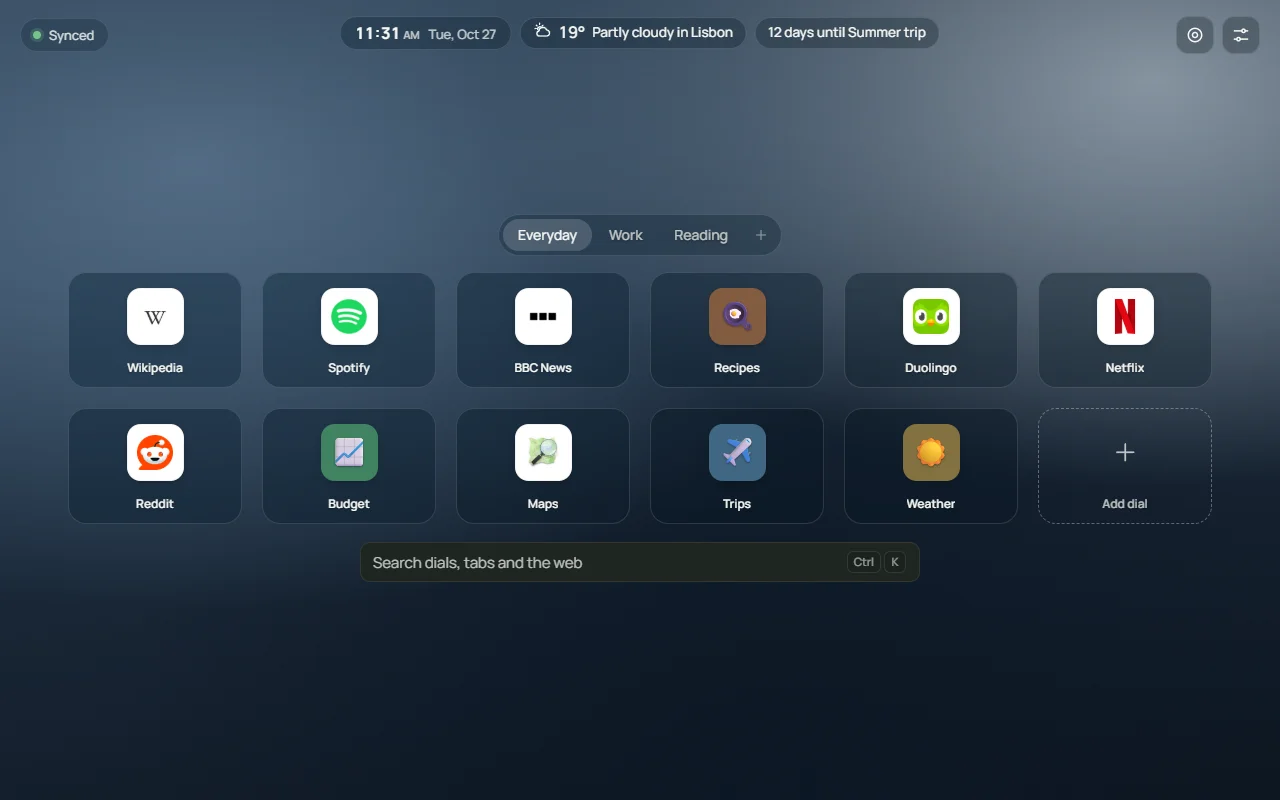
Every speed-dial extension I tried wanted an account, phoned home with analytics, or lost my dials the moment I opened a second laptop. I wanted the fast new tab from 2010 with 2026 polish: big cards, groups, a launcher, and sync that works without trusting a stranger's server.
The build
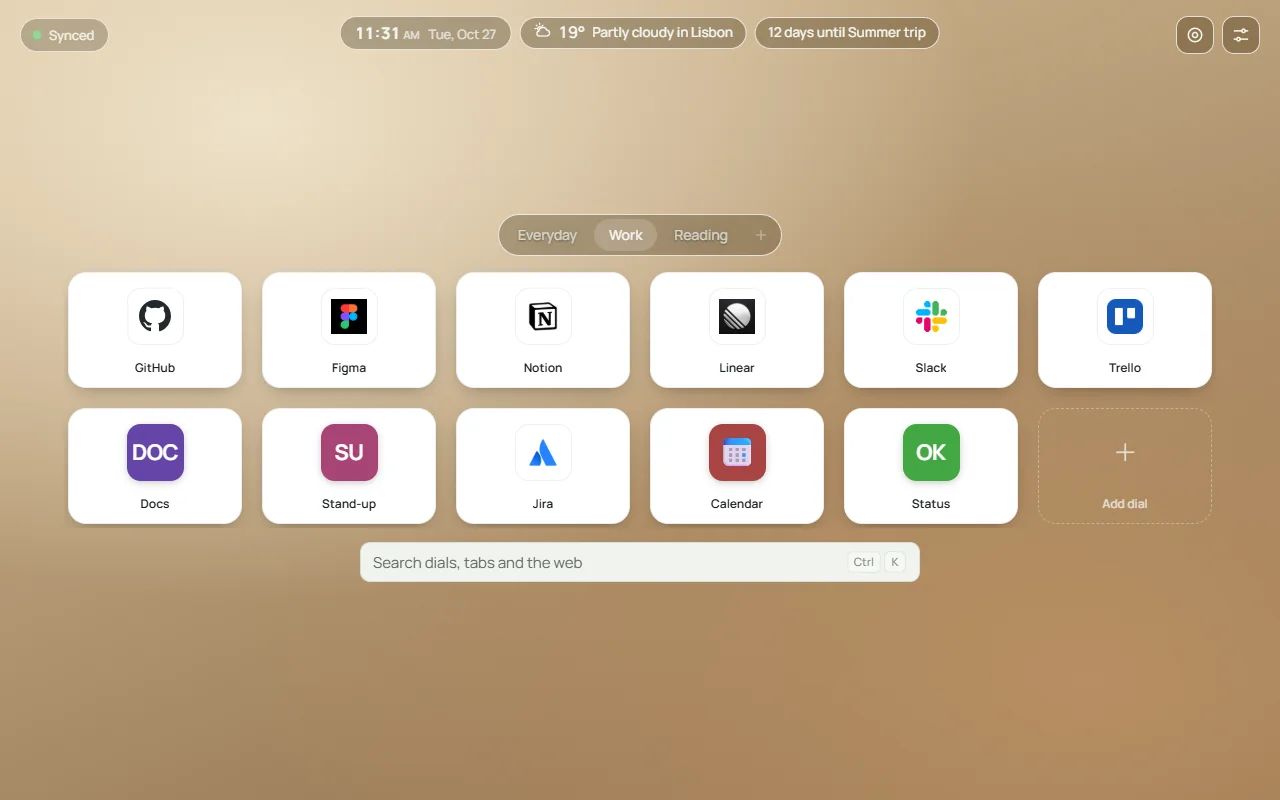
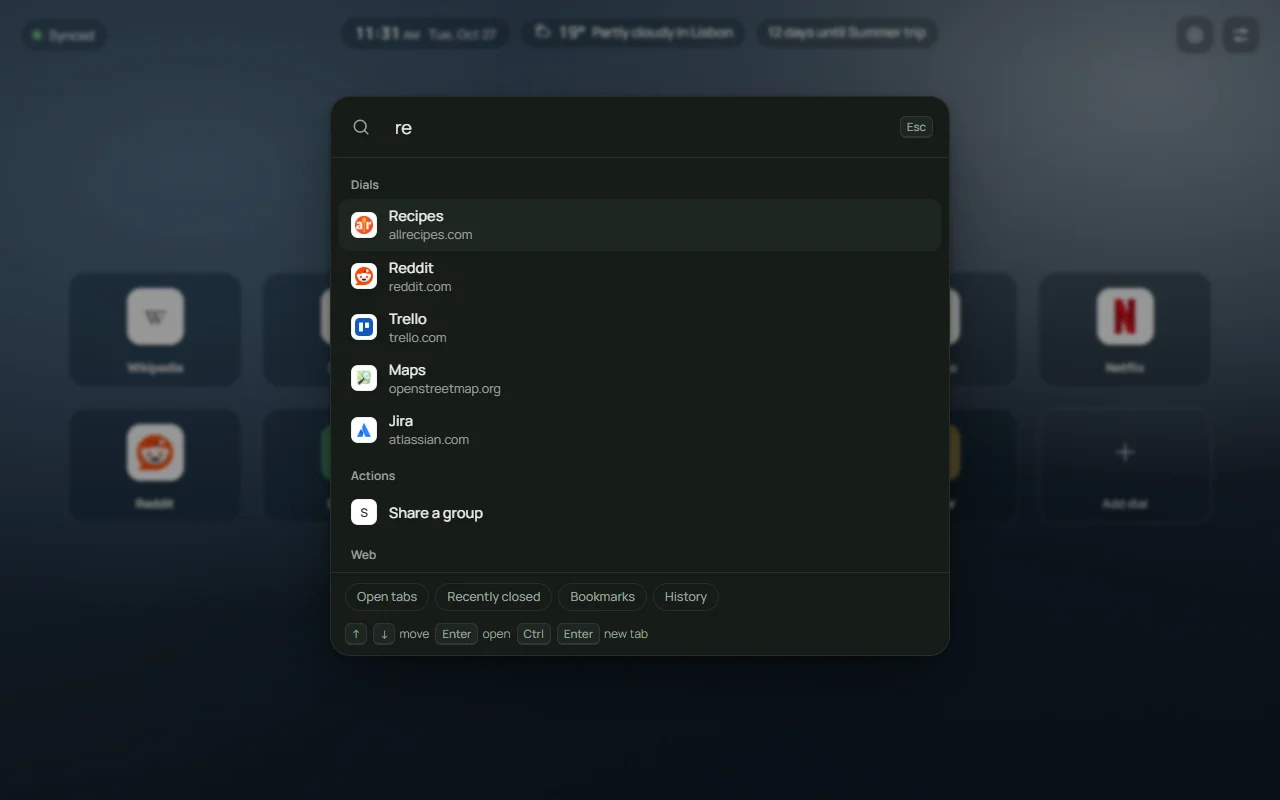
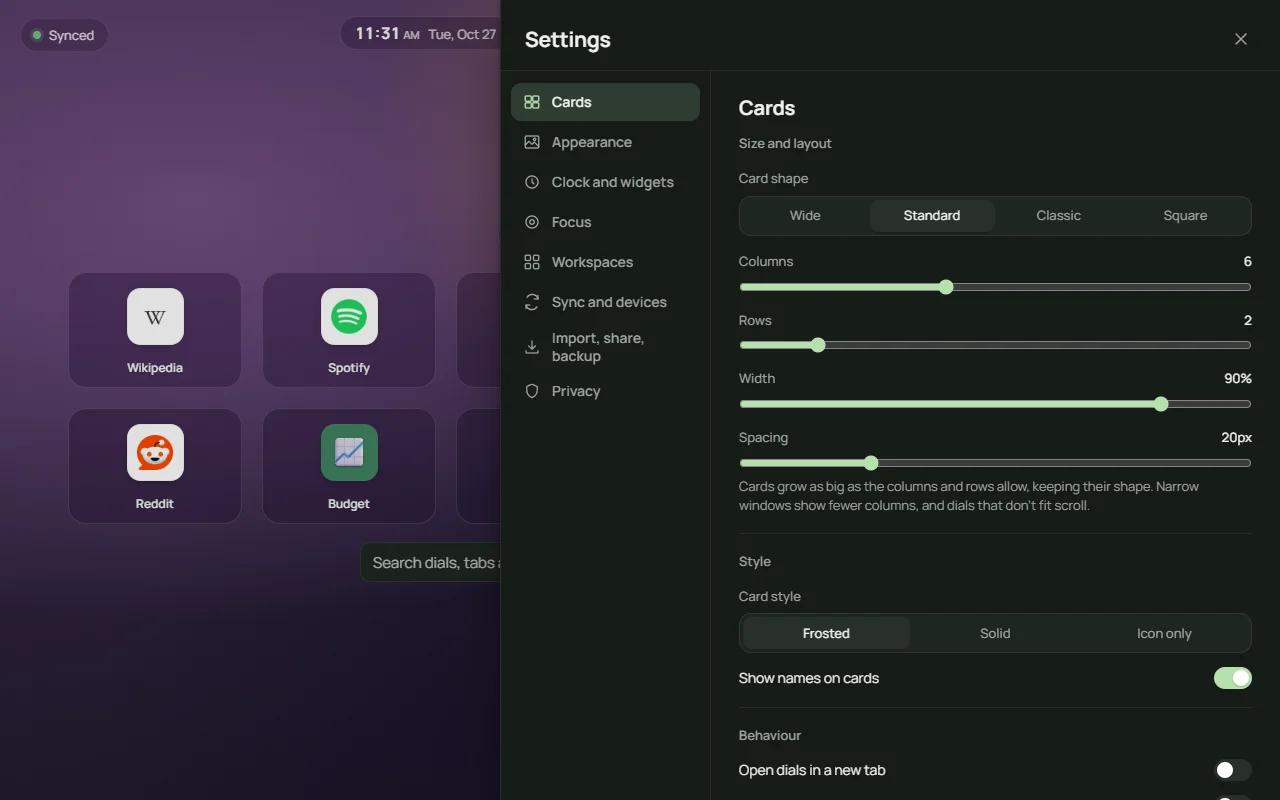
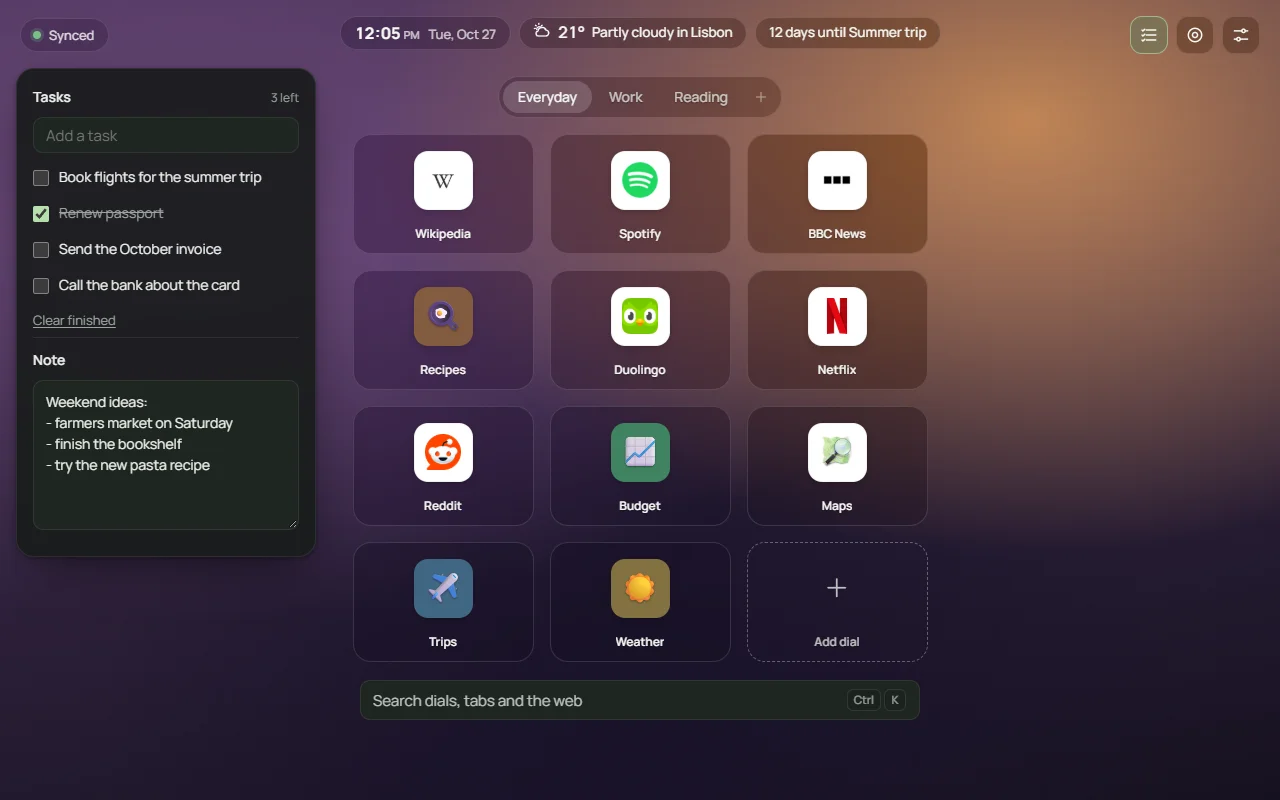
A Manifest V3 extension that replaces the new tab page. Dials, groups, workspaces and settings live in Chrome sync, so they follow you to every signed-in computer without any backend. Four card sizes (wide, standard, classic, square), three styles (frosted, solid, icon-only), custom wallpaper, light and dark themes, five fonts. A Ctrl+K launcher searches dials and, only if you allow it, open tabs, bookmarks and history. Optional widgets: clock, weather, countdowns, tasks and a note. Focus mode hides dials during chosen hours. A group can live in a Chrome bookmarks folder so it shows up on mobile, be shared as a code with no upload, or be imported from another speed dial or a bookmarks file. Every optional permission is off until you turn it on, and removed again when you turn it off.
- Chrome-sync everything, no account or server
- Groups, workspaces, bookmark-folder groups that show on mobile
- Ctrl+K launcher across dials, tabs, bookmarks, history
- 4 card sizes · 3 styles · wallpapers · 5 fonts
- Clock, weather, countdowns, tasks, note widgets
- Focus mode, share-as-code, import from any speed dial
What changed
Published on the Chrome Web Store on 28 October 2026 as v1.0: 367 KiB, no ads, no analytics, no accounts. The privacy policy fits on one page because there is nothing to disclose: the developer never receives your data. Site icons come from a public icon service you can switch off; weather and the daily wallpaper stay off until you enable them.
Inside the product
- Chrome Extension (Manifest V3)
- JavaScript
- chrome.storage.sync
- Open-Meteo API
- Zero backend
Got a site, a bug, or an idea? Send it over.
You'll get a flat price and a start date today. No pitch deck, no discovery phase.